
The gatekeeper of reality is
quantified imagination.
quantified imagination.


Project "ASP.Net 3.5 Web Services & .Net AJAX"
|
Purpose The purpose of this project is to demonstrate how to create a .Net 3.5 web service from scratch. .Net AJAX will be used in conjunction with JScript 8.0 and one ASP.NET web page. No web page post-backs will be done (since .Net AJAX and JScript will be used). Other things, such as working with console applications are also covered in this project. How I Approach This Project As a web researcher/developer I had the opportunity to get rolling with .Net 3.5 months before it was released. Because of this I've developed a variety of ASP.NET 3.5 web applications; this is among one of them which was taken out of a larger context. So, if you see me mention something that seems odd (such as the web service communicating with a command-line (console) application, breaking up StdOut of that application and stuffing that into the web service response) you can skip it if you want; but it may be handy to know for the sake of knowing how it's done under the .Net 3.5 umbrella. |
 (Enlarge) |
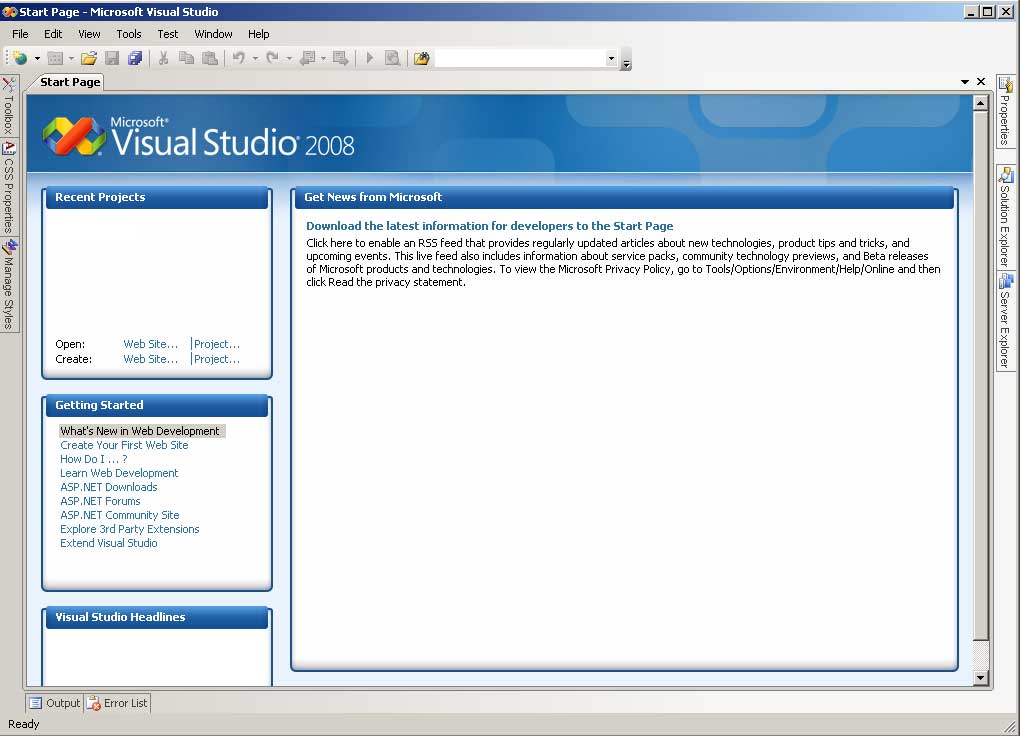
Open Visual Studio 2008. | |
 (Enlarge) |
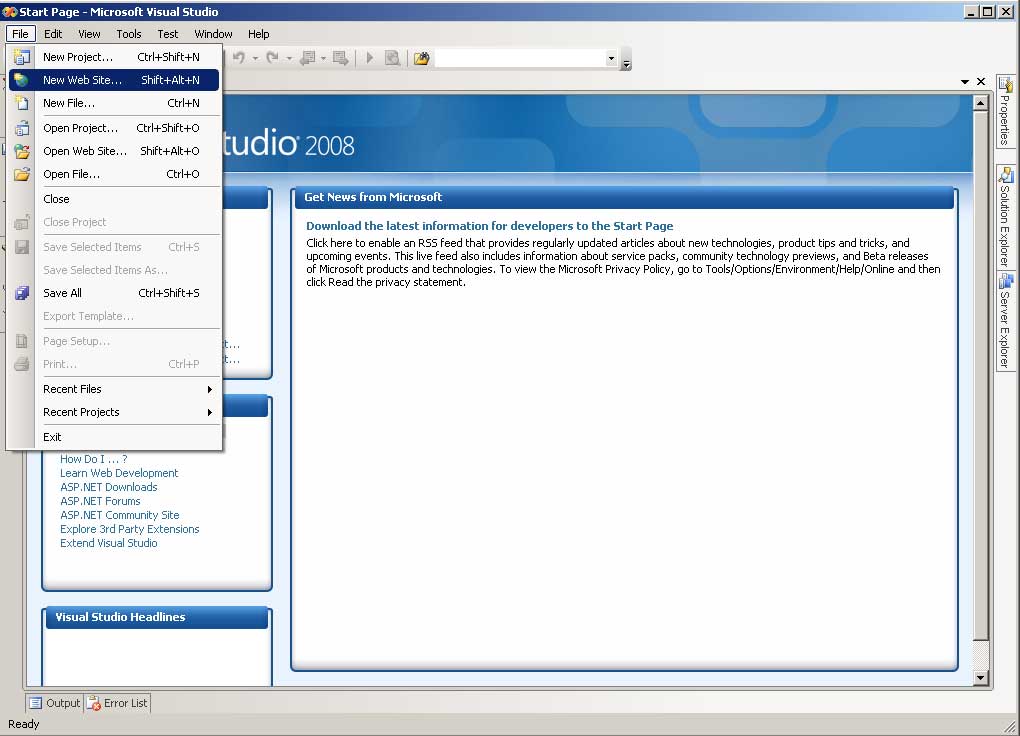
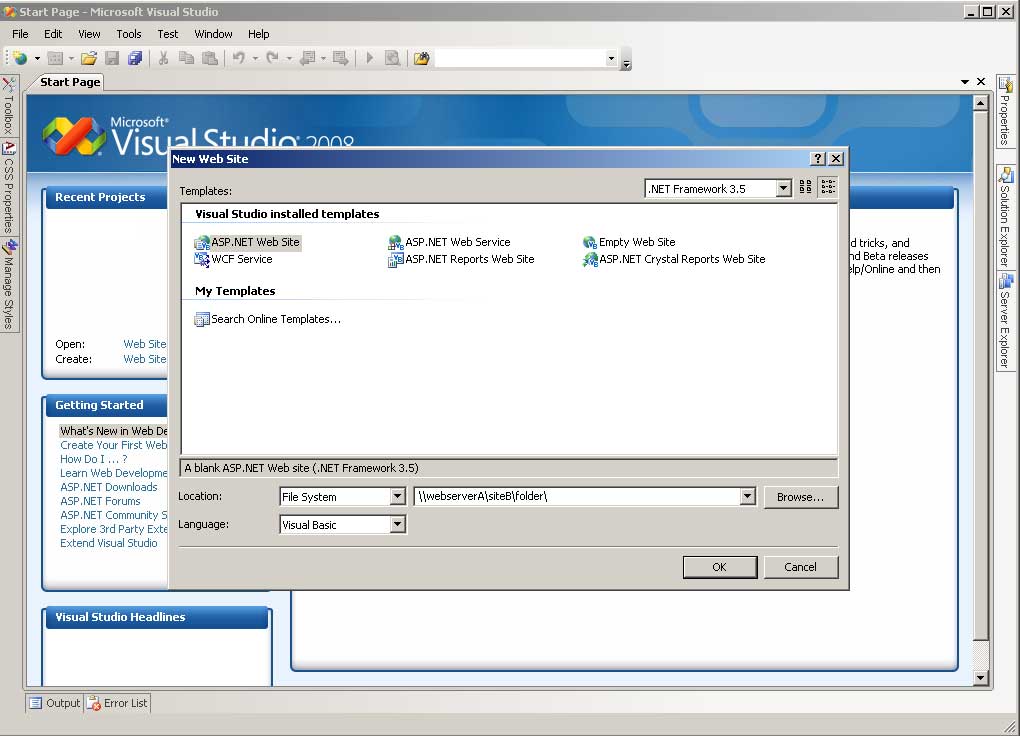
Under the File Menu select "New Web Site". | |
 (Enlarge) |
|
|
 (Enlarge) |
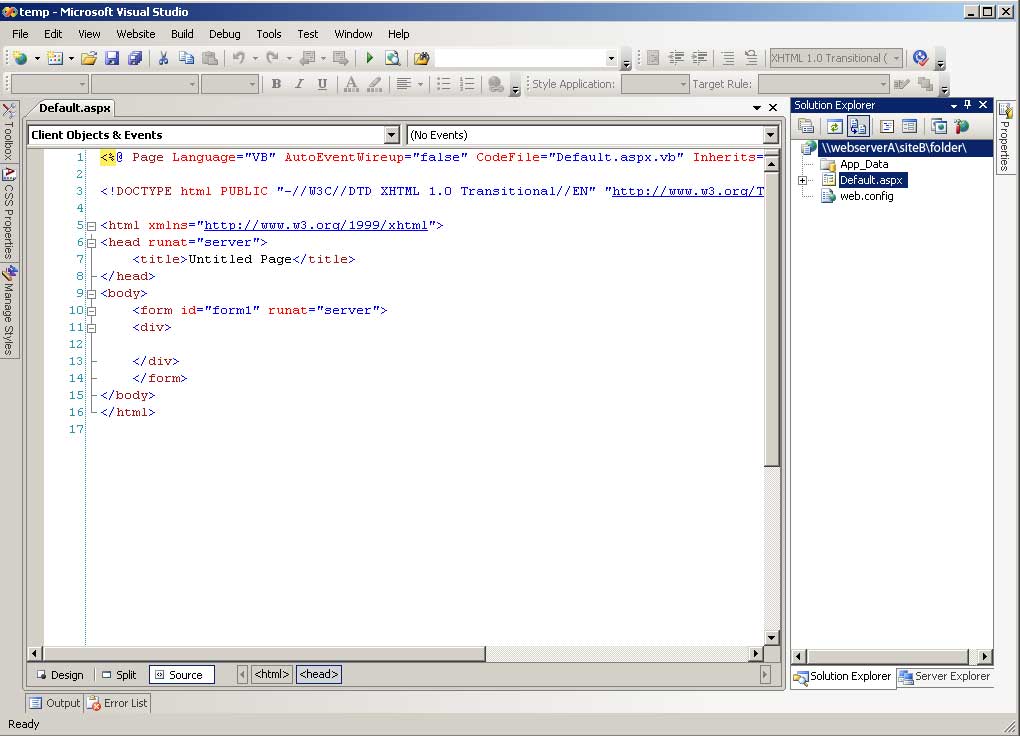
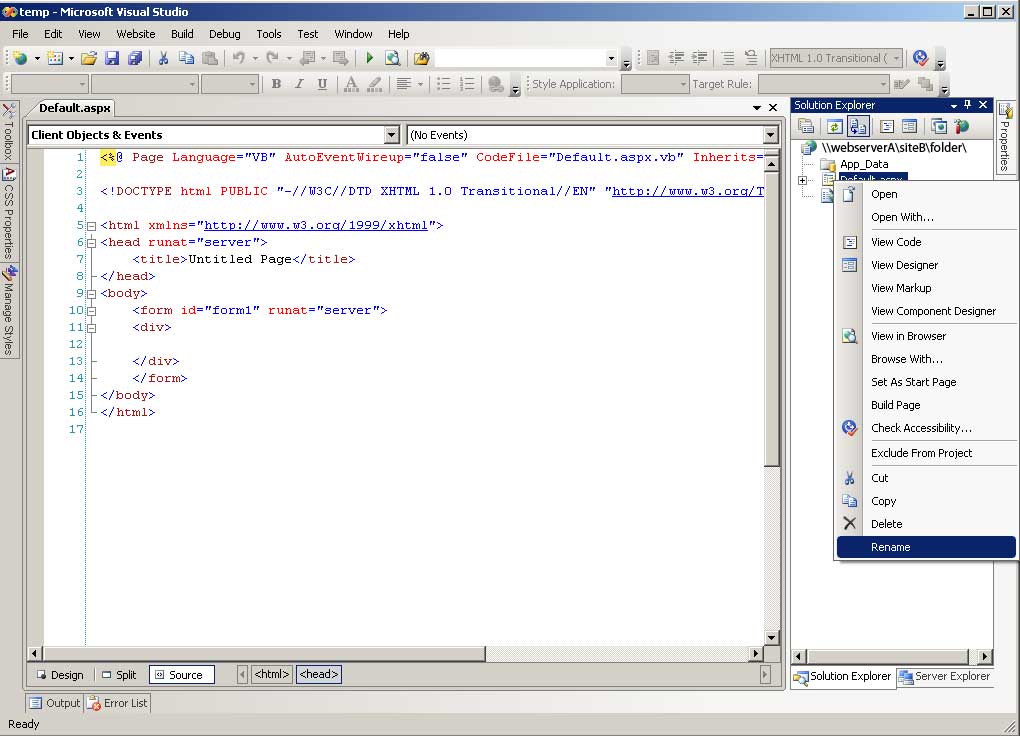
You will notice that a default web page has been created (Default.aspx). We are going to rename the default web page. Under Solution Explorer, right-click on "Default.aspx". |
|
 (Enlarge) |
From the pop-up menu, select "Rename". | |
 (Enlarge) |
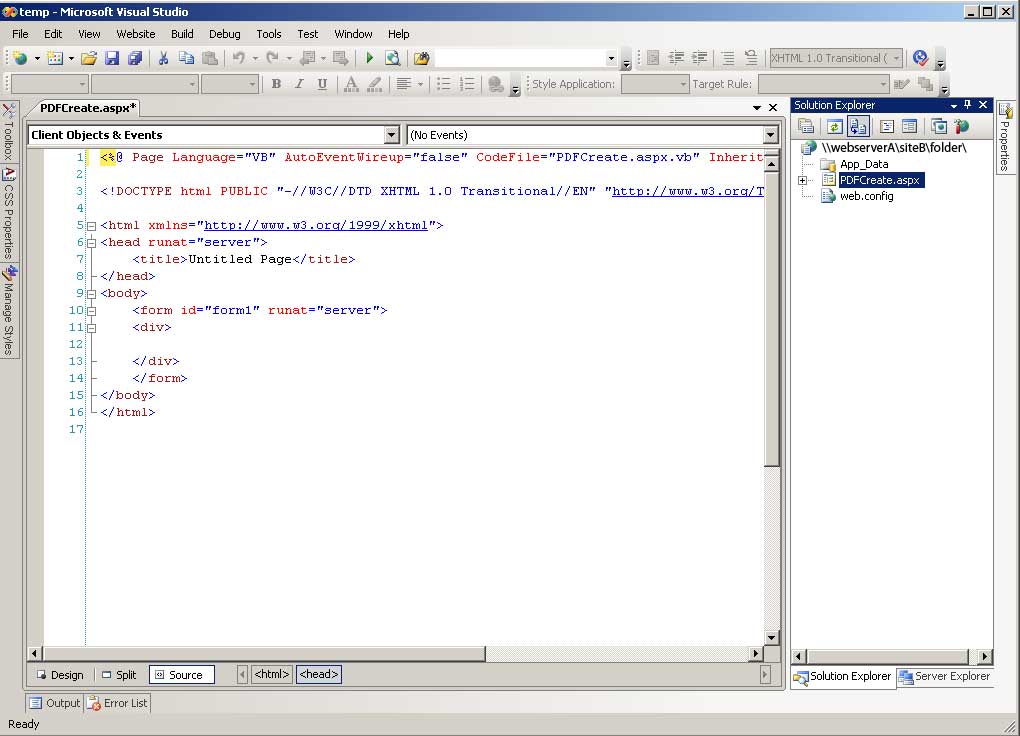
Rename the filename to "PDFCreate.aspx". | |
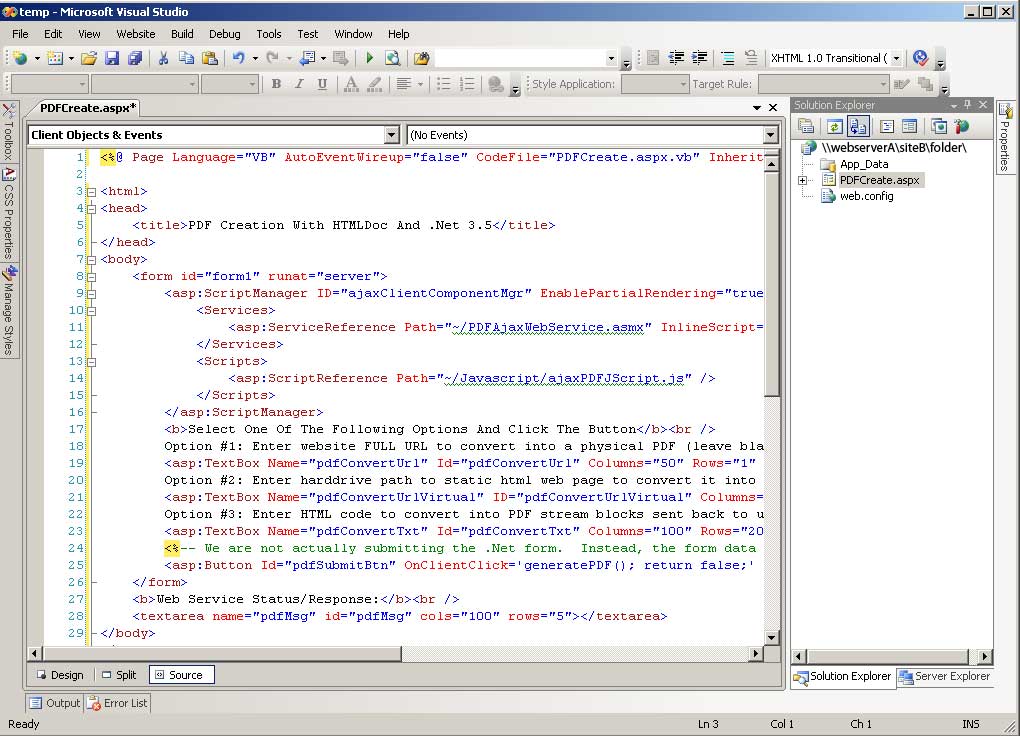 (Enlarge) |
|
|
 (Enlarge) |
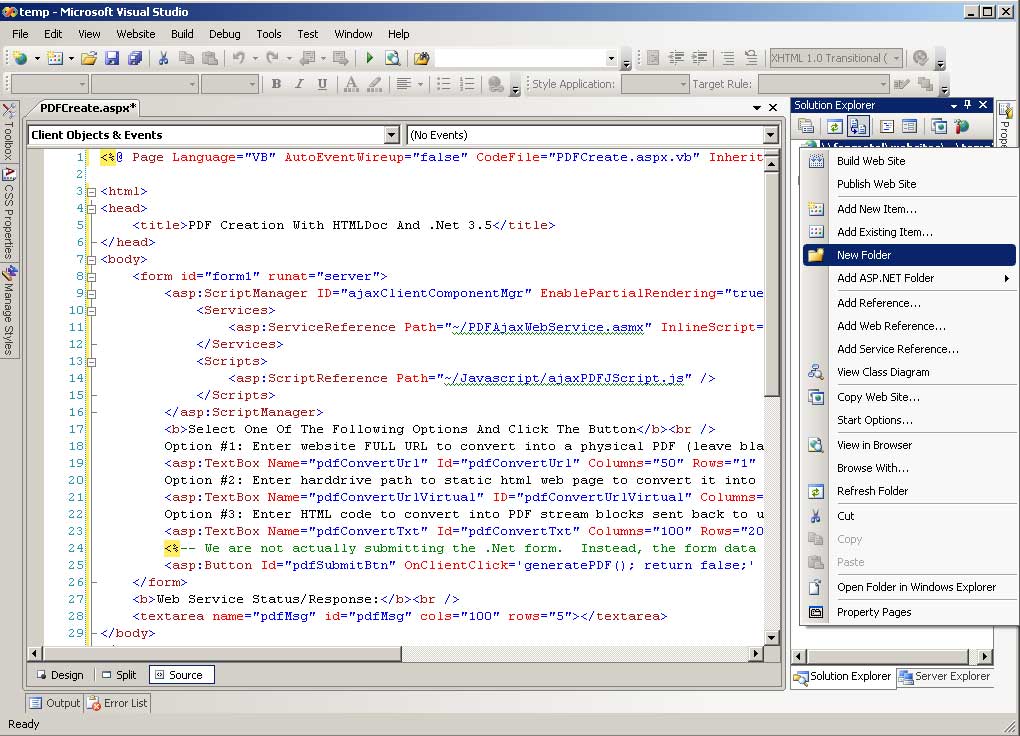
Now we are going to create a folder to place the JScript into.
Under Solution Explorer, right-click on ""\\webserverA\siteB\folder". From the pop-up menu select "New Folder". |
|
 (Enlarge) |
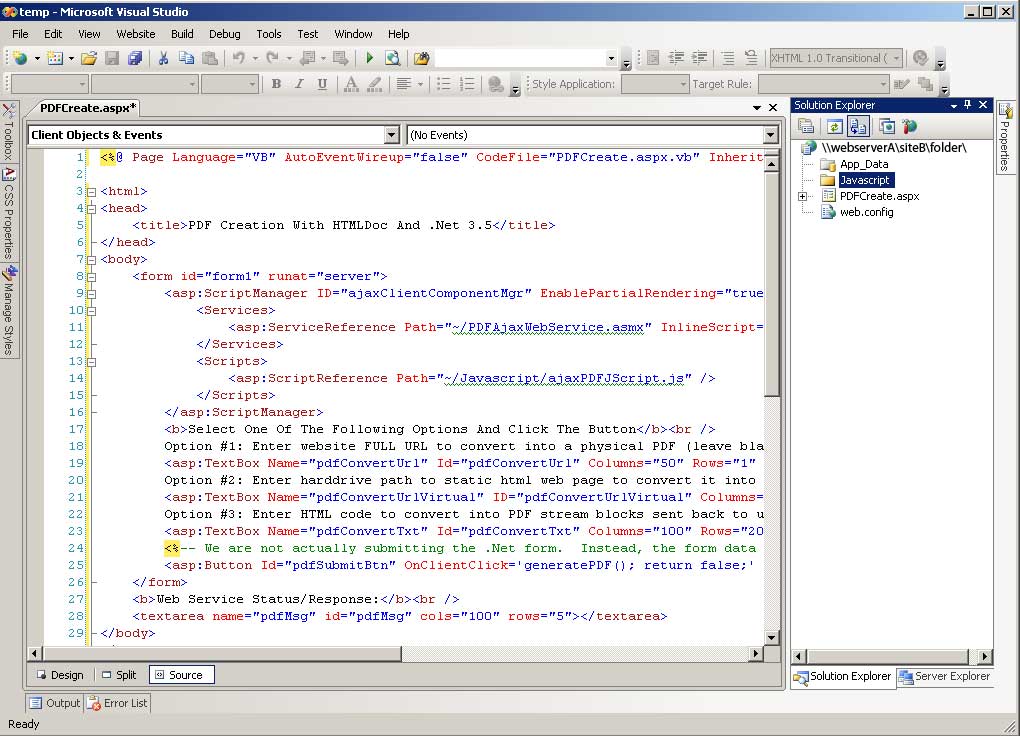
Specify the folder name as "Javascript". | |
 (Enlarge) |
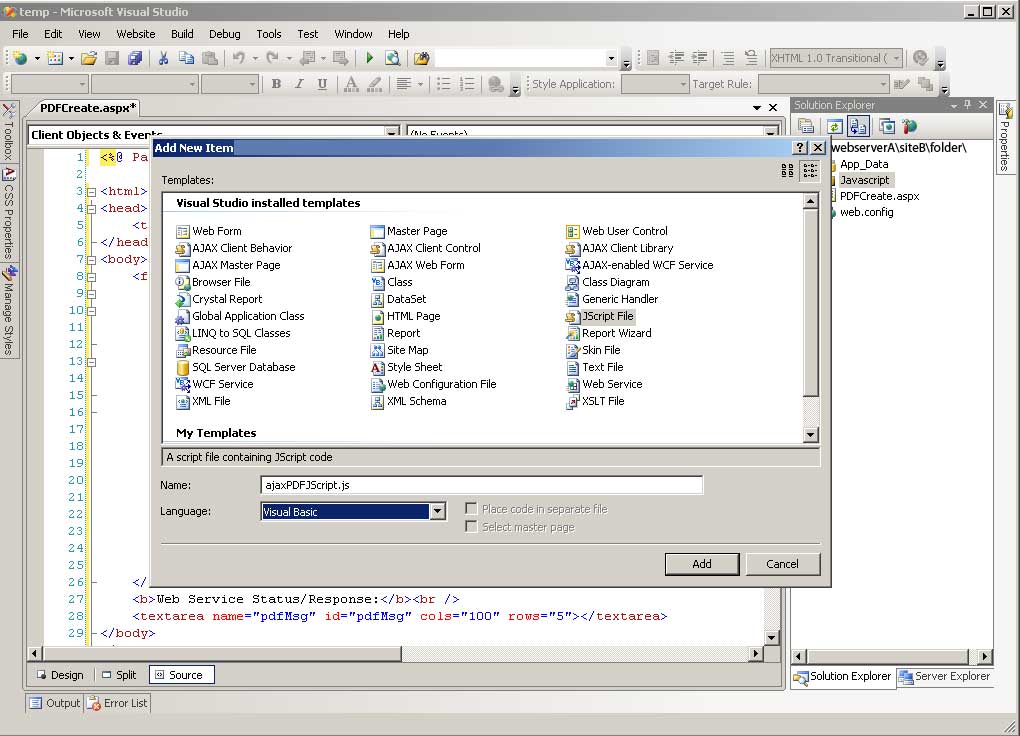
Now we are going to add a Jscript file inside of the folder you just created.
|
|
 (Enlarge) |
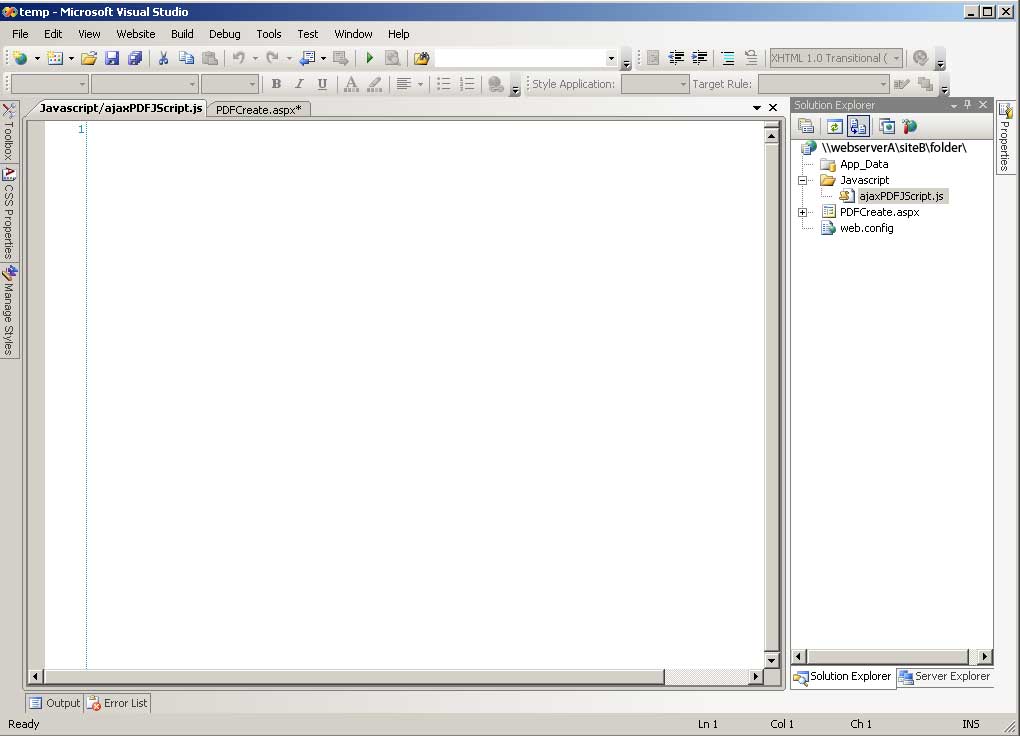
Now we have a blank source code page to work with. | |
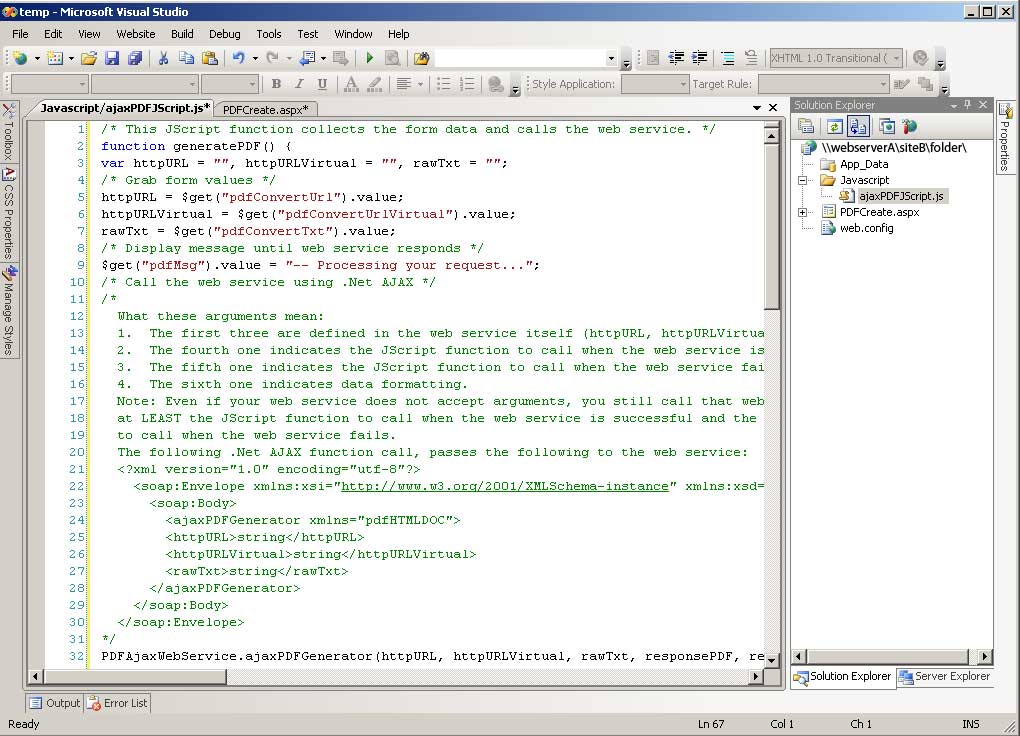 (Enlarge) |
|
|
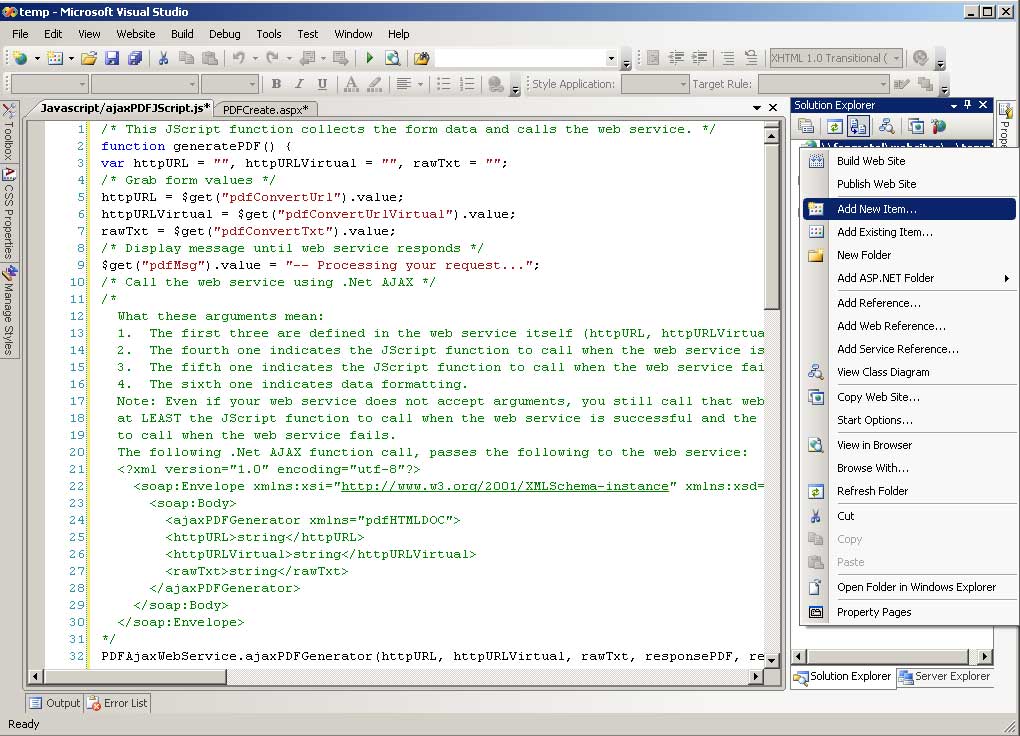 (Enlarge) |
Now we are going to create the web service. Under Solution Explorer, right-click on ""\\webserverA\siteB\folder". From the pop-up menu select "Add New Item". |
|
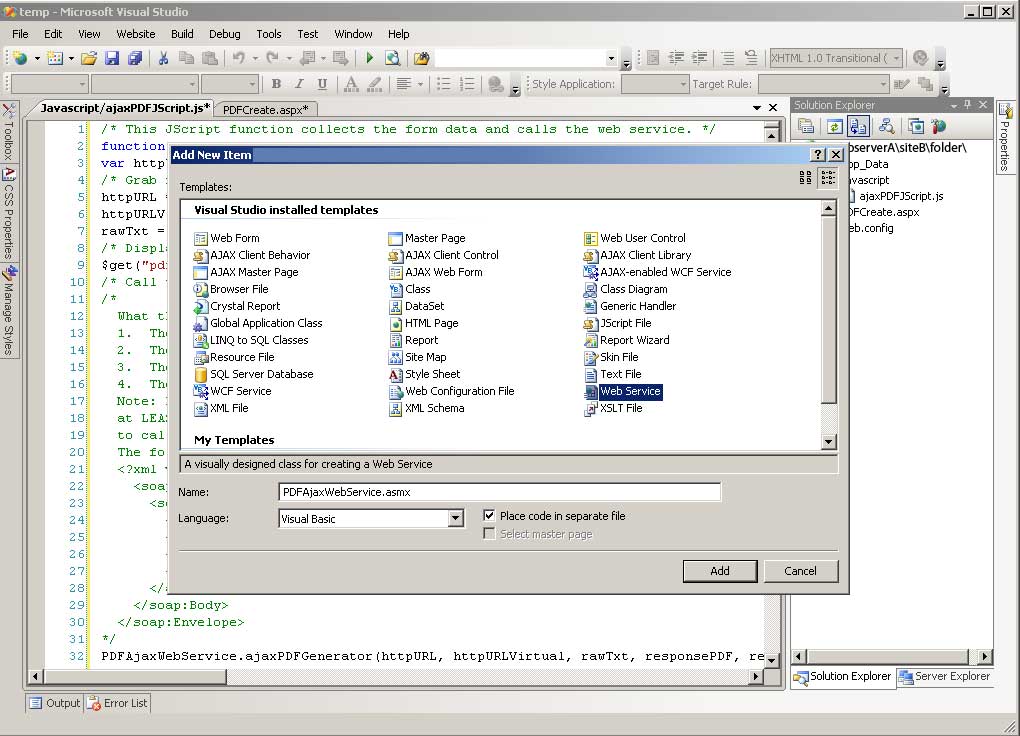 (Enlarge) |
|
|
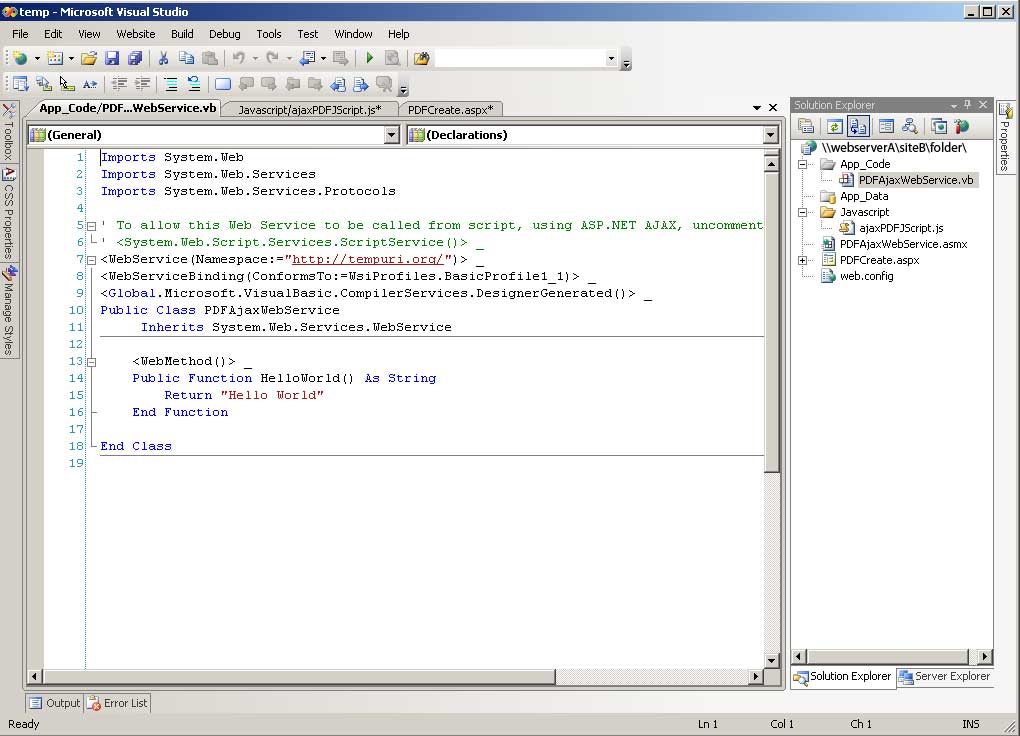 (Enlarge) |
The source code page, containing generic source code should now be displayed. Remove the generic source code. |
|
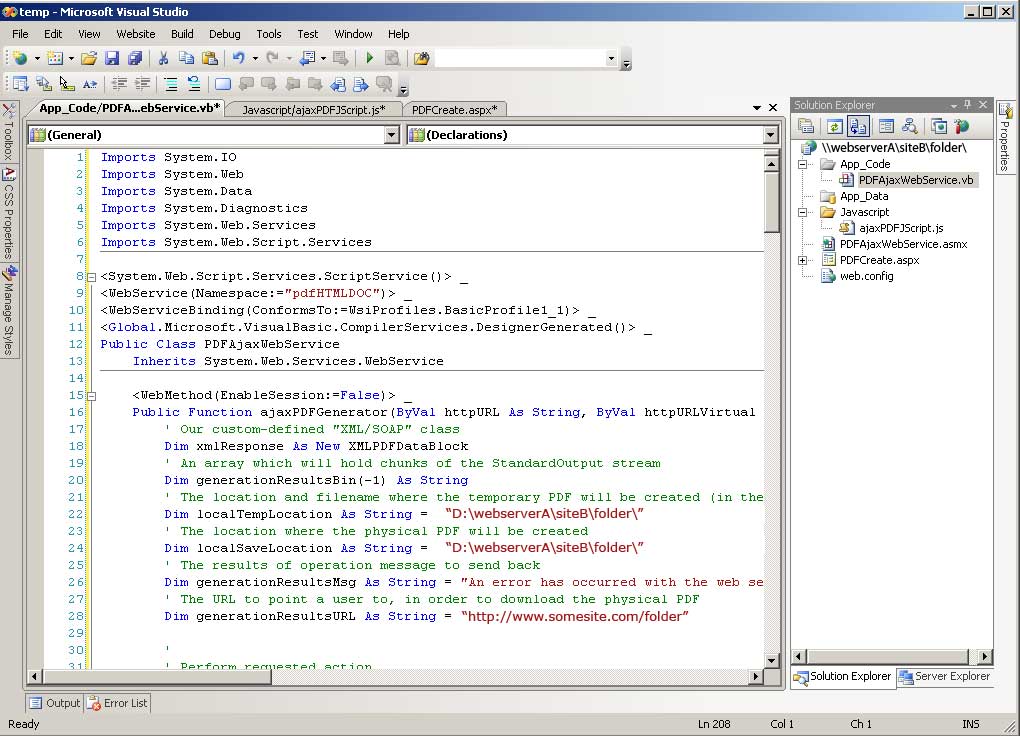 (Enlarge) |
|
|
 (Enlarge) |
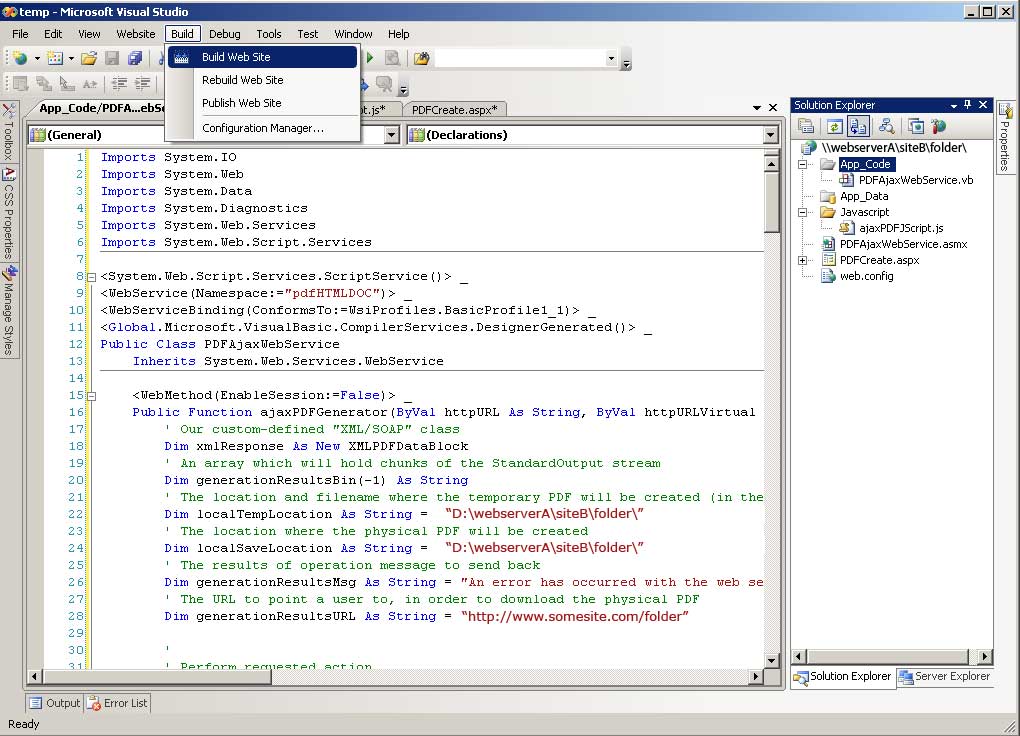
Congratulations, all the pieces are now in place! Now let's perform a build. Under the Build menu, select "Build Web Site". |
|
 (Enlarge) |
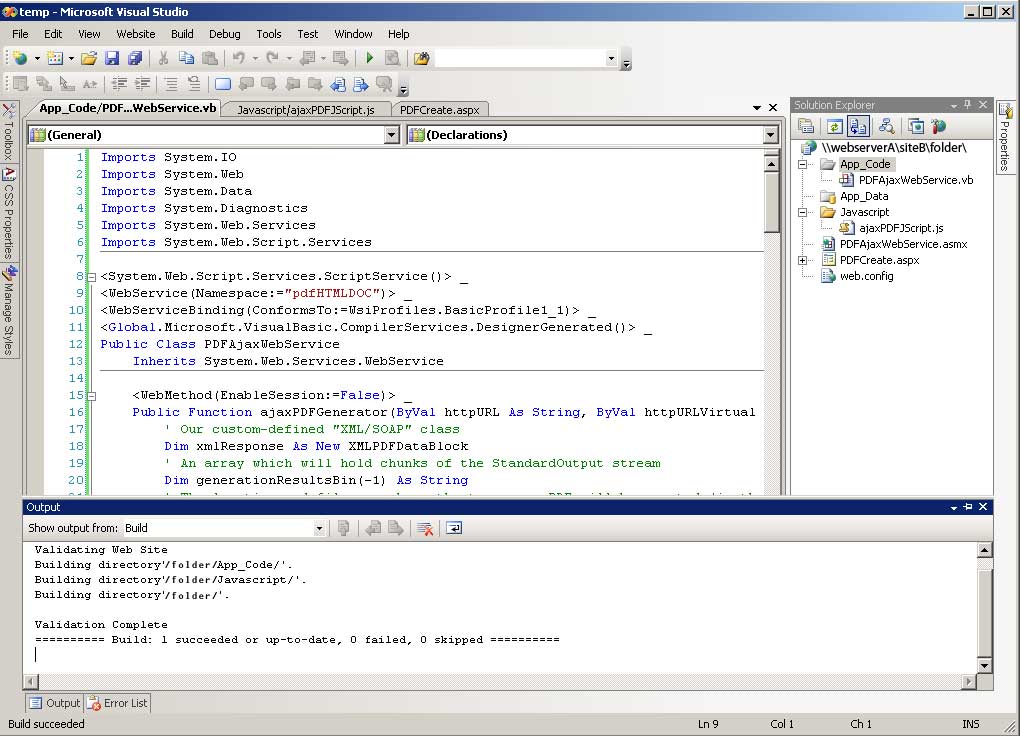
The build should succeed and you can now begin experimenting with PDFCreate.aspx by typing in the URL of that web page in your web browser and studying the output. If <HTMLDoc> is not installed and configured properly on the web server, the web service will not work. | |
function sendDataAsXML_SOAP() {
var req_params = "", url = "", number = 0, type = "";
/* Configure Parameters */
url = "http://www.somesite.com/folder/webService.asmx";
number = 21;
type = "newest";
req_params = "<?xml version=\"1.0\" encoding=\"utf-8\"?><soap:Envelope xmlns:xsi=\"http://www.w3.org/2001/XMLSchema-instance\" xmlns:xsd=\"http://www.w3.org/2001/XMLSchema\" xmlns:soap=\"http://schemas.xmlsoap.org/soap/envelope/\"><soap:Body><ajaxDataRequest xmlns=\"serviceAjax\">";
req_params = req_params + "<articleNumber>" + number + "</articleNumber>";
req_params = req_params + "<articleType>" + type + "</articleType>";
req_params = req_params + "</ajaxDataRequest></soap:Body></soap:Envelope>";
/* Send XML/SOAP Request To Web Service Using Browser's Javascript DOM */
try { ajax_request = new XMLHttpRequest(); }
catch (trymicrosoft) {
	try { ajax_request = new ActiveXObject("Msxml2.XMLHTTP"); }
	catch (othermicrosoft) {
		try { ajax_request = new ActiveXObject("Microsoft.XMLHTTP"); }
		catch (failed) { ajax_request = false; }
			       }
		     }
ajax_request.open("POST", url, true);
ajax_request.setRequestHeader("Content-Type", "text/xml;charset=utf-8");
ajax_request.onreadystatechange = receiveXML_SOAPData;
ajax_request.send(req_params);
}
var xmlCount = 0; xmlName = new Array(); xmlValue = new Array();
function receiveXML_SOAPData() {
	if (ajax_request.readyState == 4) {
		if (ajax_request.status == 200) {
	/* Parse The Response Data */
	captureXML(ajax_request.responseText);
	/* Alert The Response Data */
	for (x = 0; x < xmlName.length; x++) {
					      alert(xmlName[x] + " - " + xmlValue[x]);
					     }
						}
					  }
}
function captureXML(xmlStream) {
/* XML put into a string is passed to this function as xmlStream */
var items, xmlTree, xmlDoc;
var x_name = "", x_value = "";
var xmlBrowseType = 0, x_drop = 0, x_count = 0;
if (window.ActiveXObject) {
			   /* Internet Explorer */
			   xmlBrowseType = 1;
			   xmlDoc = new ActiveXObject("MSXML2.DomDocument");
			   xmlDoc.loadXML(xmlStream);
			  }
else {
      /* Mozilla / Firefox */
      xmlBrowseType = 2;
      var parser = new DOMParser();
      xmlDoc = parser.parseFromString(xmlStream.replace(/\t/g,"").replace(/\v/g, ""), "text/xml");
     }
xmlTree = xmlDoc.documentElement;
if (xmlTree.hasChildNodes()) {
			      if (xmlBrowseType == 1) {
						       /* Internet Explorer */
						       y_count = 0;
						       do {
							   x_drop = 0; y_drop = 0; x_count = 0;
							   try {
								x_name = xmlTree.childNodes[x_count].nodeName;
								x_value = xmlTree.getElementsByTagName(x_name)[y_count].childNodes[y_count].nodeValue;
							       }
							   catch(onerror) { x_drop = 1; y_drop = 1; }
							   do {
							       try {
								    x_name = xmlTree.childNodes[x_count].nodeName;
								    x_value = xmlTree.getElementsByTagName(x_name)[y_count].childNodes[y_count].nodeValue;
								   }
							       catch(onerror) { x_drop = 1; x_value = null; }
							       xmlSave(x_name, x_value); x_name = ""; x_value = "";
							       x_count = x_count + 1;
							      } while (x_drop == 0);
							   y_count = y_count + 1;
							  } while (y_drop == 0);
						       }
			      else {
				    /* Mozilla / Firefox */
				    y_count = 0;
				    do {
					x_drop = 0; y_drop = 0; x_count = 0;
					try {
					     x_name = xmlTree.childNodes[x_count].nodeName;
					     x_value = xmlTree.childNodes[x_count].childNodes[y_count].nodeValue;
					    }
					catch(onerror) { x_drop = 1; y_drop = 1; }
					do {
					    try {
						 x_name = xmlTree.childNodes[x_count].nodeName;
						 x_value = xmlTree.childNodes[x_count].childNodes[y_count].nodeValue;
						}
					    catch(onerror) { x_drop = 1; x_value = null; }
					    xmlSave(x_name, x_value); x_name = ""; x_value = "";
					    x_count = x_count + 1;
					   } while (x_drop == 0);
					y_count = y_count + 1;
				       } while (y_drop == 0);
				   }
			}
}
<script type="text/javascript">
//<![CDATA[
var PDFAjaxWebService=function() {
PDFAjaxWebService.initializeBase(this);
this._timeout = 0;
this._userContext = null;
this._succeeded = null;
this._failed = null;
}
PDFAjaxWebService.prototype={
_get_path:function() {
 var p = this.get_path();
 if (p) return p;
 else return PDFAjaxWebService._staticInstance.get_path();},
ajaxPDFGenerator:function(httpURL,httpURLVirtual,rawTxt,succeededCallback, failedCallback, userContext) {
/// <param name="httpURL" type="String">System.String</param>
/// <param name="httpURLVirtual" type="String">System.String</param>
/// <param name="rawTxt" type="String">System.String</param>
/// <param name="succeededCallback" type="Function" optional="true" mayBeNull="true"></param>
/// <param name="failedCallback" type="Function" optional="true" mayBeNull="true"></param>
/// <param name="userContext" optional="true" mayBeNull="true"></param>
return this._invoke(this._get_path(), 'ajaxPDFGenerator',false,{httpURL:httpURL,httpURLVirtual:httpURLVirtual,rawTxt:rawTxt},succeededCallback,failedCallback,userContext); }}
PDFAjaxWebService.registerClass('PDFAjaxWebService',Sys.Net.WebServiceProxy);
PDFAjaxWebService._staticInstance = new PDFAjaxWebService();
PDFAjaxWebService.set_path = function(value) {
PDFAjaxWebService._staticInstance.set_path(value); }
PDFAjaxWebService.get_path = function() {
/// <value type="String" mayBeNull="true">The service url.</value>return PDFAjaxWebService._staticInstance.get_path();}
PDFAjaxWebService.set_timeout = function(value) {
PDFAjaxWebService._staticInstance.set_timeout(value); }
PDFAjaxWebService.get_timeout = function() {
/// <value type="Number">The service timeout.</value>
return PDFAjaxWebService._staticInstance.get_timeout(); }
PDFAjaxWebService.set_defaultUserContext = function(value) {
PDFAjaxWebService._staticInstance.set_defaultUserContext(value); }
PDFAjaxWebService.get_defaultUserContext = function() {
/// <value mayBeNull="true">The service default user context.</value>
return PDFAjaxWebService._staticInstance.get_defaultUserContext(); }
PDFAjaxWebService.set_defaultSucceededCallback = function(value) {
 PDFAjaxWebService._staticInstance.set_defaultSucceededCallback(value); }
PDFAjaxWebService.get_defaultSucceededCallback = function() {
/// <value type="Function" mayBeNull="true">The service default succeeded callback.</value>
return PDFAjaxWebService._staticInstance.get_defaultSucceededCallback(); }
PDFAjaxWebService.set_defaultFailedCallback = function(value) {
PDFAjaxWebService._staticInstance.set_defaultFailedCallback(value); }
PDFAjaxWebService.get_defaultFailedCallback = function() {
/// <value type="Function" mayBeNull="true">The service default failed callback.</value>
return PDFAjaxWebService._staticInstance.get_defaultFailedCallback(); }
PDFAjaxWebService.set_path("/folder/PDFAjaxWebService.asmx");
PDFAjaxWebService.ajaxPDFGenerator= function(httpURL,httpURLVirtual,rawTxt,onSuccess,onFailed,userContext) {
/// <param name="httpURL" type="String">System.String</param>
/// <param name="httpURLVirtual" type="String">System.String</param>
/// <param name="rawTxt" type="String">System.String</param>
/// <param name="succeededCallback" type="Function" optional="true" mayBeNull="true"></param>
/// <param name="failedCallback" type="Function" optional="true" mayBeNull="true"></param>
/// <param name="userContext" optional="true" mayBeNull="true"></param>
PDFAjaxWebService._staticInstance.ajaxPDFGenerator(httpURL,httpURLVirtual,rawTxt,onSuccess,onFailed,userContext); }
var gtc = Sys.Net.WebServiceProxy._generateTypedConstructor;
if (typeof(XMLPDFDataBlock) === 'undefined') {
var XMLPDFDataBlock=gtc("XMLPDFDataBlock");
XMLPDFDataBlock.registerClass('XMLPDFDataBlock');
}
//]]>
</script>
        <script type="text/javascript">
//<![CDATA[Sys.WebForms.PageRequestManager._initialize('ajaxClientComponentMgr', document.getElementById('form1'));
Sys.WebForms.PageRequestManager.getInstance()._updateControls([], [], [], 90);
//]]>
</script>
PDFAjaxWebService.ajaxPDFGenerator(httpURL, httpURLVirtual, rawTxt, responseSuccessPDF, responseFailPDF, "text/xml");
function responseSuccessPDF(response) {
/* Handle response data which has been transformed from XML/SOAP into class hierarchy */
alert(response.xmlNodeNameA); // Substitute xmlNodeNameA with an actual XML node name which contains a value
}
Public Function ajaxPDFGenerator(ByVal httpURL As String, ByVal httpURLVirtual As String, ByVal rawTxt As String) As XMLPDFDataBlock
' Our "XML/SOAP" ClassPublic Class XMLPDFDataBlock
    ' The following basically allows you to have an unlimited number of "child nodes" inside what may be
    ' considered the parent node "generationResultsBin".
    Private _generationResultsBin() As String
    Public Property generationResultsBin() As String()
        Get
            Return _generationResultsBin
        End Get
        Set(ByVal value() As String)
            _generationResultsBin = value
        End Set
    End Property
    ' This is the equivalent of a single XML node, which holds one value which is of the type "string".
    Private _generationResultsMsg As String
    Public Property generationResultsMsg() As String
        Get
            Return _generationResultsMsg
        End Get
        Set(ByVal value As String)
            _generationResultsMsg = value
        End Set
    End Property
    ' This is the equivalent of a single XML node, which holds one value which is of the type "string".
    Private _generationResultsURL As String
    Public Property generationResultsURL() As String
        Get
            Return _generationResultsURL
        End Get
        Set(ByVal value As String)
            _generationResultsURL = value
        End Set
    End Property
End Class
' Our custom-defined "XML/SOAP" class
Dim xmlResponse As New XMLPDFDataBlock
' Define an array (which can be infinite in size less message transport size restrictions of the XML/SOAP message itself) to populate with one-dimensional data
Dim generationResultsBin(2) As String
generationResultsBin(1) = "Child Node 1 Data"
generationResultsBin(2) = "Child Node 2 Data"
' Populate class data
With xmlResponse
	.generationResultsMsg = "This is a test"
	.generationResultsURL = "http://www.somesite.com/"
	.generationResultsBin = generationResultsBin
End With
' Return the data
Return xmlResponse
' Call htmldoc and have it return PDF stream blocks translated from the temporary file containing html code
	Dim localTempLocation As String = "\\webserverA\siteB\folder\temppdf.txt"
	Dim externalProcessPageVirtual As ProcessStartInfo = New ProcessStartInfo("htmldoc", "--quiet --webpage -t pdf " & localTempLocation)
	externalProcessPageVirtual.RedirectStandardOutput = True   ' Grab StdOut
	externalProcessPageVirtual.RedirectStandardError = True    ' Grab any errors (StdErr) that may come up if needed although not handled in this example
	externalProcessPageVirtual.CreateNoWindow = True           ' No need to create a window for this operation
	externalProcessPageVirtual.UseShellExecute = False         ' We want the raw output
	Dim runProcessPageVirtual As Process = Process.Start(externalProcessPageVirtual)
	runProcessPageVirtual.Start()
	Dim generationResultsBinTemp As String = ""
	generationResultsBinTemp = runProcessPageVirtual.StandardOutput.ReadToEnd
Try
	' Create a few child nodes for <generationResultsBin></generationResultsBin>
	Dim parseFinished As Integer = 0
	Dim lenBoundary As Integer = 2500       ' Maximum size of a child node before a new child node is created which holds a fragment of StandardOutput
	Dim maximumNodeSize As Integer = 30000  ' Maximum size of all child nodes to be transported.  If you want the to be able to transport a SOAP message much larger, you will need to make changes on the server, MaxRequestLength, etc.
	If generationResultsBinTemp.Length < maximumNodeSize Then
		maximumNodeSize = generationResultsBinTemp.Length
	End If
	Do Until parseFinished >= maximumNodeSize
		If parseFinished + lenBoundary >= maximumNodeSize Then
			ReDim Preserve generationResultsBin(UBound(generationResultsBin) + 1)
			generationResultsBin(UBound(generationResultsBin)) = Mid(generationResultsBinTemp, parseFinished + 1, maximumNodeSize)
		Else
			ReDim Preserve generationResultsBin(UBound(generationResultsBin) + 1)
			generationResultsBin(UBound(generationResultsBin)) = Mid(generationResultsBinTemp, parseFinished + 1, lenBoundary)
		End If
		parseFinished = parseFinished + lenBoundary
	Loop
Catch ex As Exception
	generationResultsMsg = Replace(ex.ToString, vbCrLf, "\n")
End Try
generationResultsURL = ""

