
The gatekeeper of reality is
quantified imagination.
quantified imagination.


Powershell: User logon/logoff
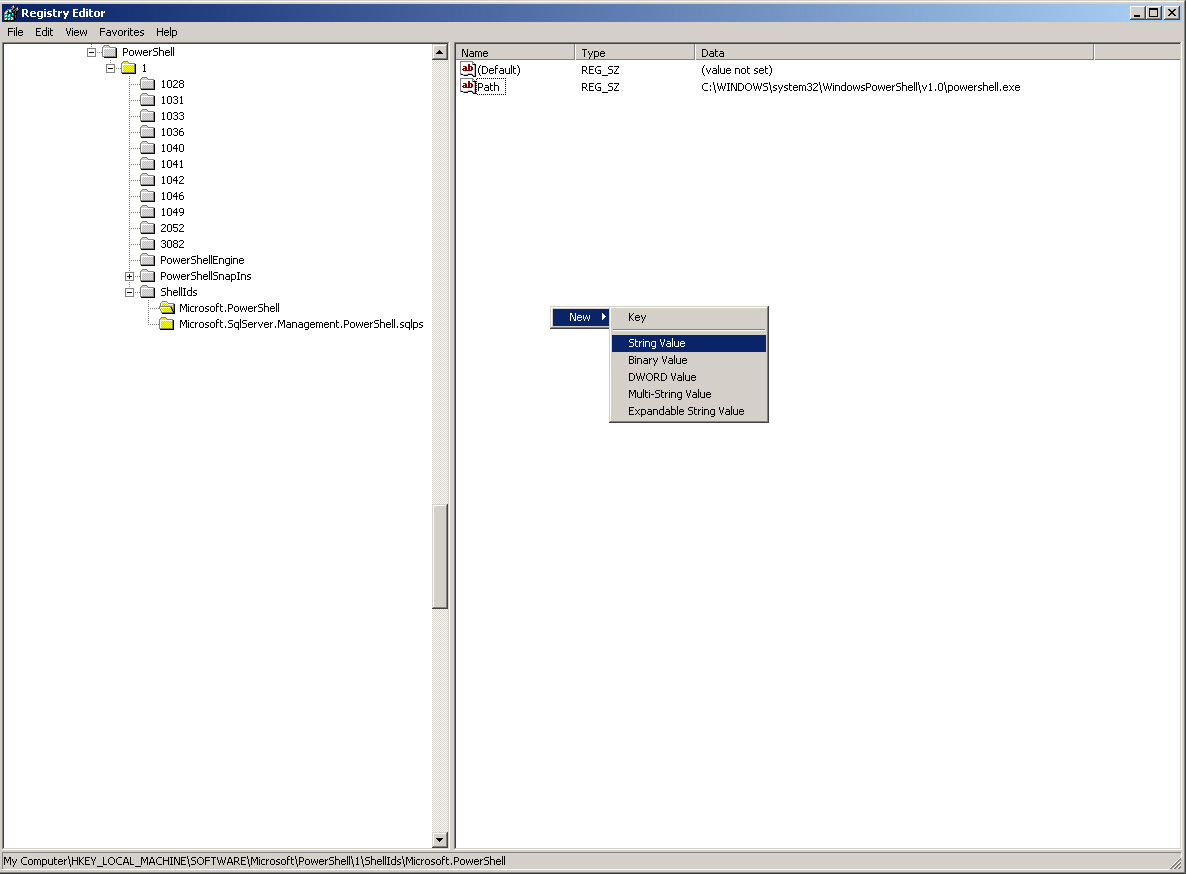 (Enlarge) |
|
|
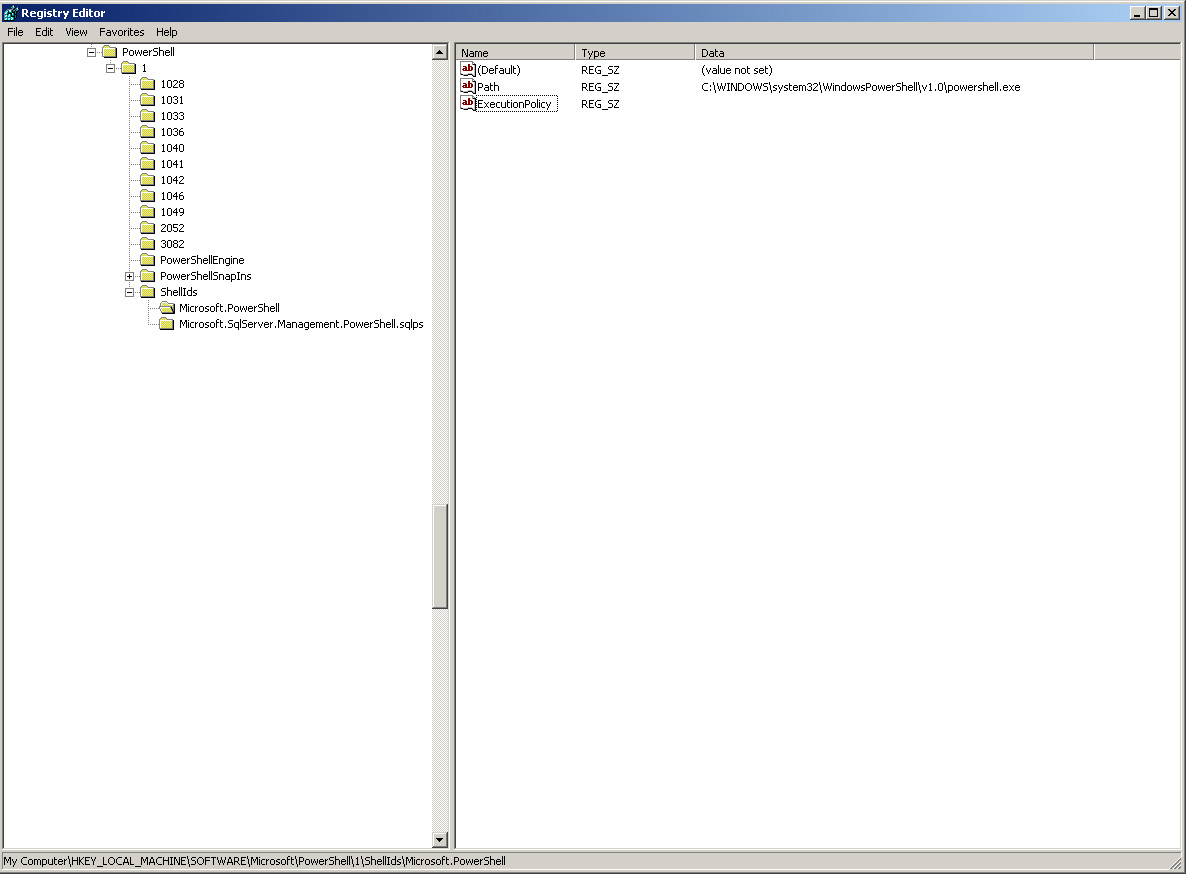 (Enlarge) |
|
|
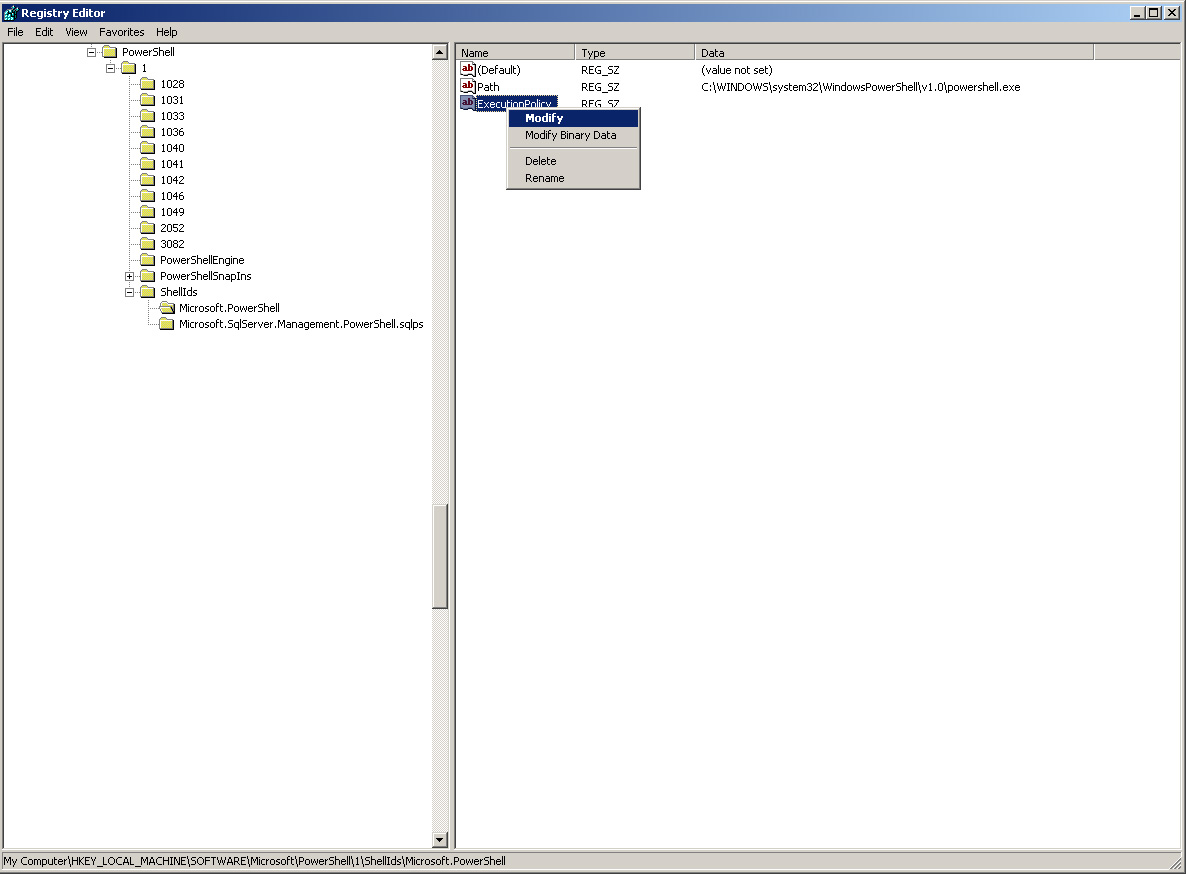 (Enlarge) |
|
|
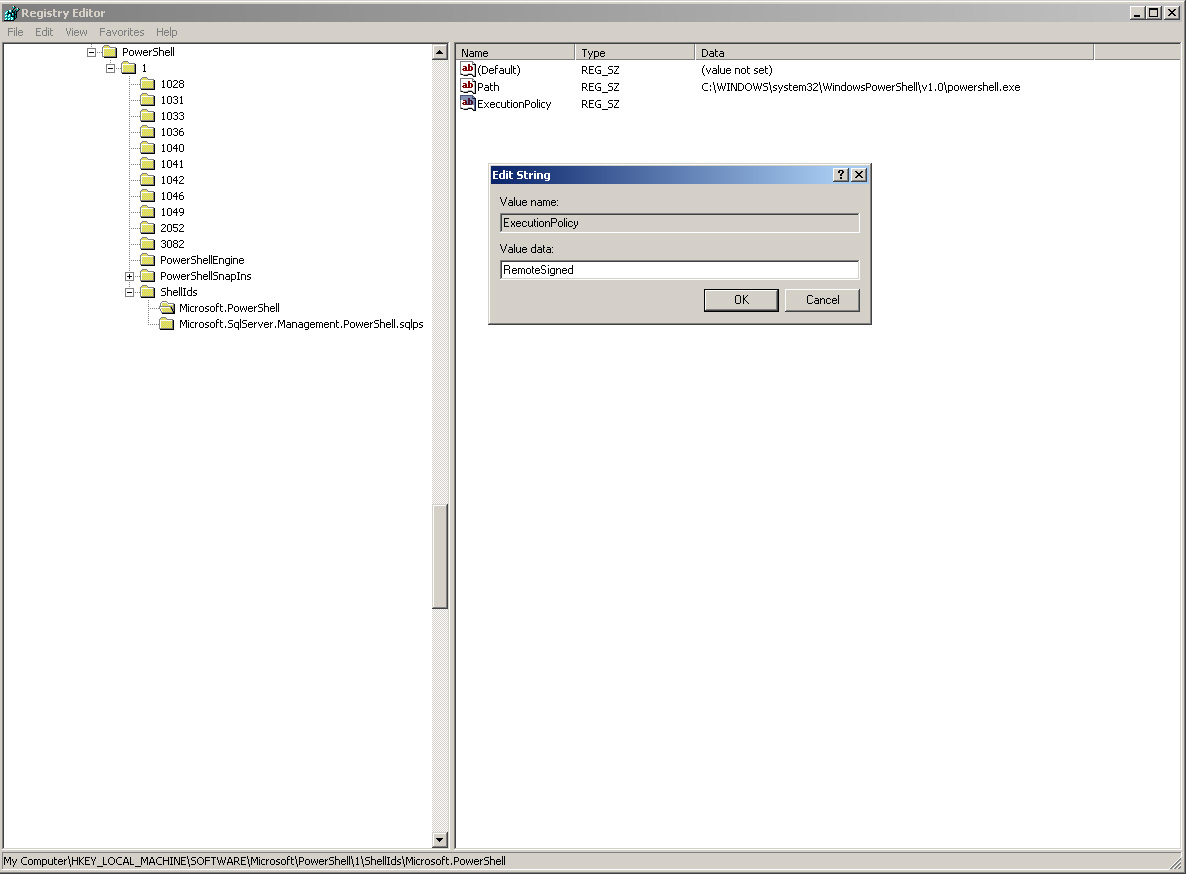 (Enlarge) |
|
|
 (Enlarge) |
|
|
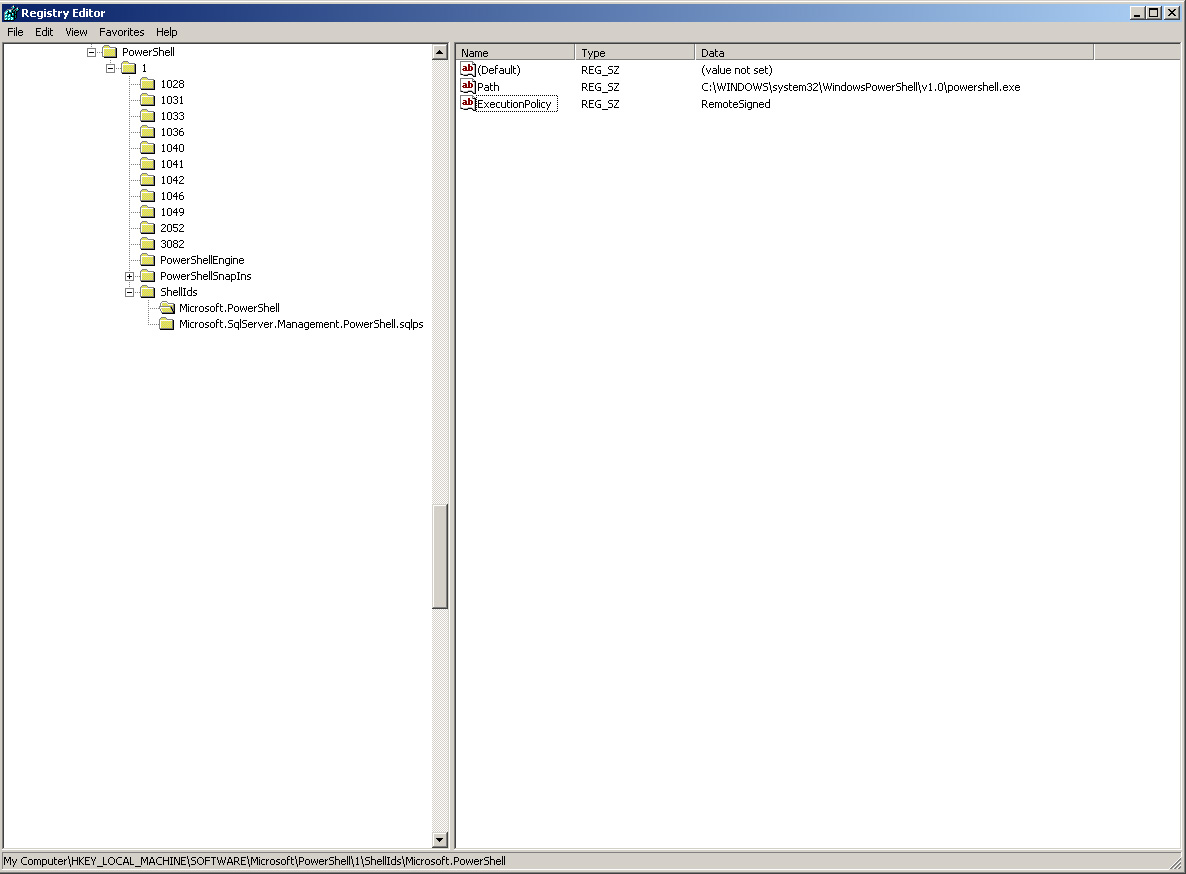
| powershell.exe -command "& 'c:\Program Files\Common Files\Services\psmontsk.ps1' -noninteractive -windowstyle hidden Set-ExecutionPolicy RemoteSigned" |
<#
.SYNOPSIS
    Retrieve current listing of logged on users.  Integrate on target machine as a scheduled task/job that periodically runs this script.
    This script functions the same on Windows XP as well as Windows 7 workstations AND Windows Server 2008 R2 machines.
.NOTES
    Name: SystemStatusTracker
    Author: Joe McCormack
    DateCreated: 1/1/2011

.LINK
    http://www.virtualsecrets.com
.EXAMPLE
    Call from Command-Line: powershell.exe -command "& 'c:\Program Files\Common Files\Services\psmontsk.ps1' -noninteractive -windowstyle hidden Set-ExecutionPolicy RemoteSigned"
#>

# Start Customization

$nameAction = "flagname"
$wcTarget = "https://www.yoursite.com/Receiver.asp"						# Target URL to pass data to for processing

$requestUserAgent = "Mozilla/4.0 (compatible; MSIE 6.0; Windows NT 5.2;)+SystemStatusTracker"	# Agent signature
# End Customization
$results = ""

# Get Current Date
$nameDate = Get-Date -format g

# Get Computer Name
$nameComputer = $env:computername

# Get Current User
$nameUser = $env:username

# Get IP of Computer
$rawData = gwmi Win32_NetworkAdapterConfiguration -computer $nameComputer
$ipStep = 0
$nameIP = ""
ForEach ($segData in $rawData) {
				If ($segData.IPAddress) {
							 $tmpIP = $segData.IPAddress
							 $tmpIPBlocks = $tmpIP -split " "
							 ForEach ($segment in $tmpIPBlocks) {
											     if ($ipStep -eq 0) {
														 $nameIP = $segment
														 $ipStep = 1
														}
											    }
							}
			       }

# Get All Currently Logged-on Users
#	While "query session /server:$nameComputer" works on Windows 7 and Windows XP workstations it does not work on Windows Server 2008 R2
#	by default beyond listing the current user's session.  To keep things simple, use win32_process.
ForEach($c in $nameComputer) {
			      $userEntry = gwmi win32_process -computer $c -Filter "Name = 'explorer.exe'"
			      ForEach ($user in $userEntry) {
							     if($results -ne '') { $results += "::" }
							     $tmpComputer = $c
							     $tmpUser = ($user.GetOwner()).User
							     $tmpDomain = ($user.GetOwner()).Domain
							     $results += "$tmpDomain|$tmpComputer|$tmpUser"
						    }
			     }
# Prepend Current User Information
$results = "$nameAction|$nameDate|$nameComputer|$nameUser|$nameIP||$results"

# Assemble
$sndData = new-object System.Collections.Specialized.NameValueCollection
$sndData.Add("cd", $results)

# Run Transaction
$wc = New-Object System.Net.WebClient
$wc.Headers.Add("user-agent", $requestUserAgent)
$wc.QueryString = $sndData
$wcTargetSnd = $wc.DownloadData($wcTarget)
$wcTargetRec = [System.Text.Encoding]::ASCII.GetString($wcTargetSnd)

# Print out $wcTarget Response for Testing
# "Web Transaction Response = $wcTargetRec"
|
 (Enlarge) |
|
|
 (Enlarge) |
|
|
 (Enlarge) |
|
|
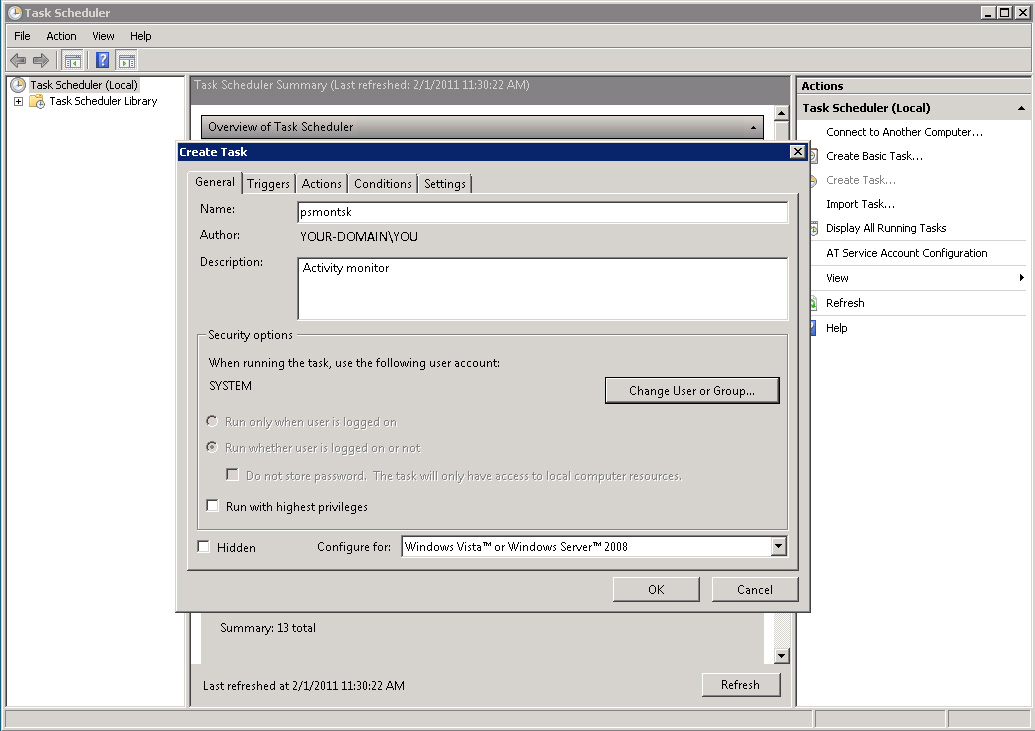 (Enlarge) |
|
|
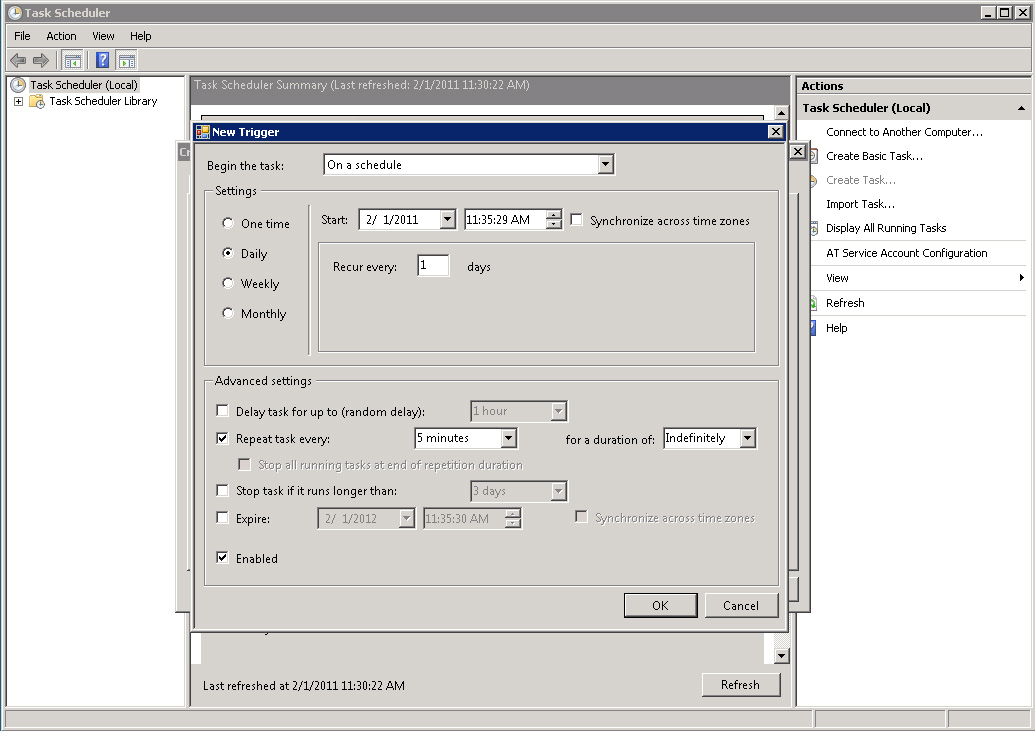 (Enlarge) |
|
|
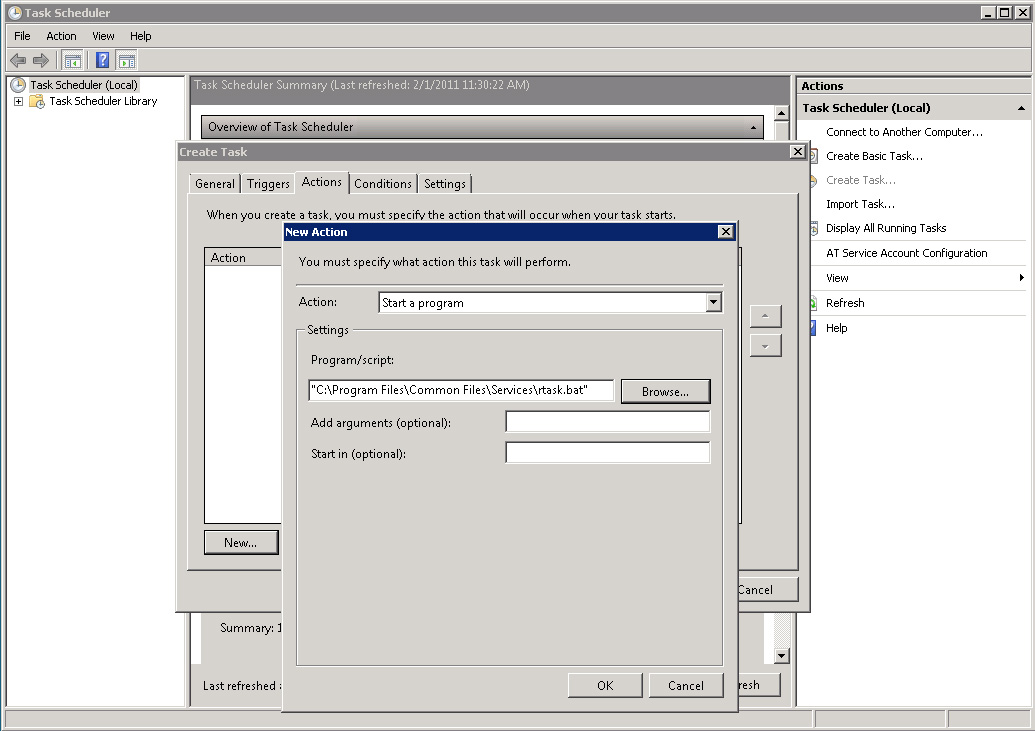 (Enlarge) |
|
|
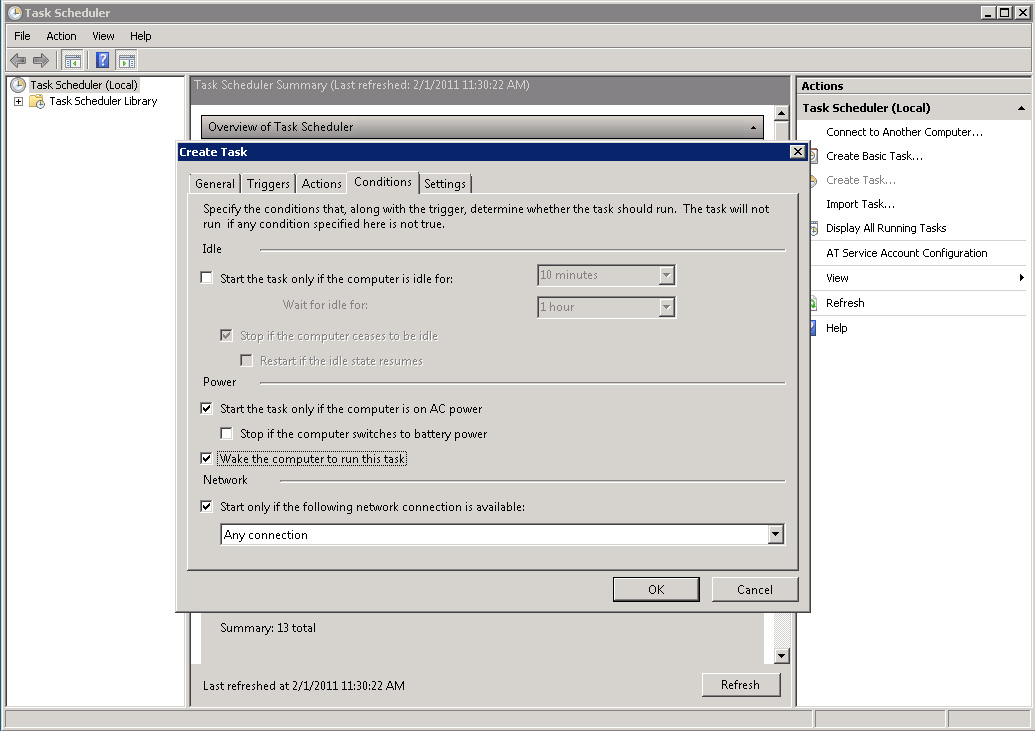 (Enlarge) |
|
|
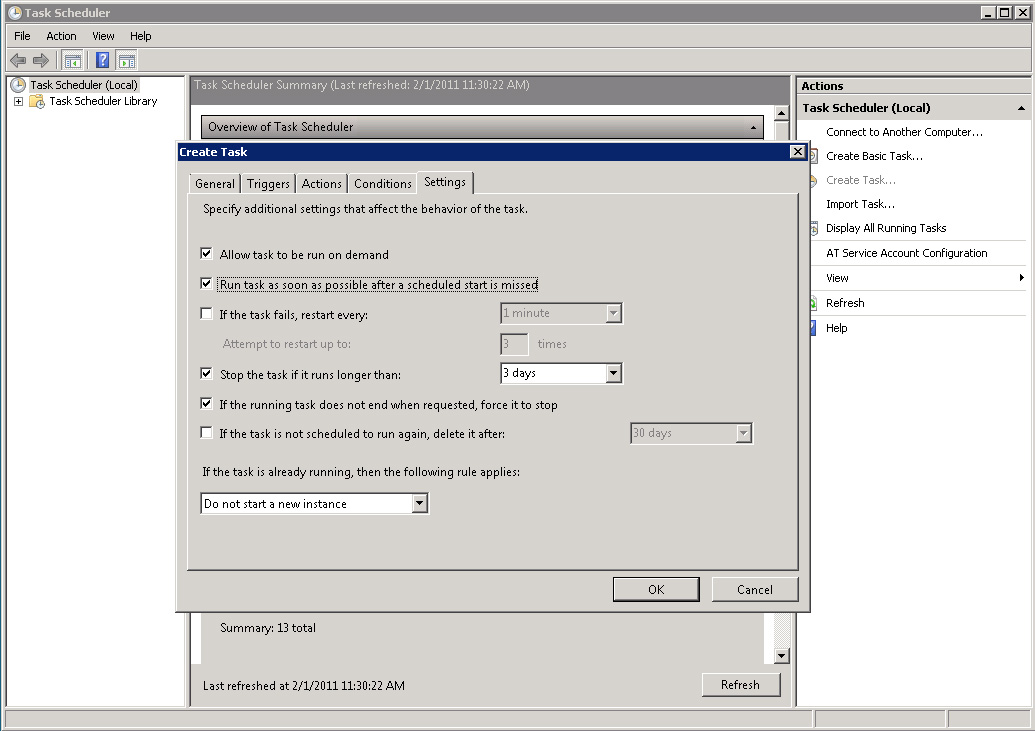 (Enlarge) |
|
|
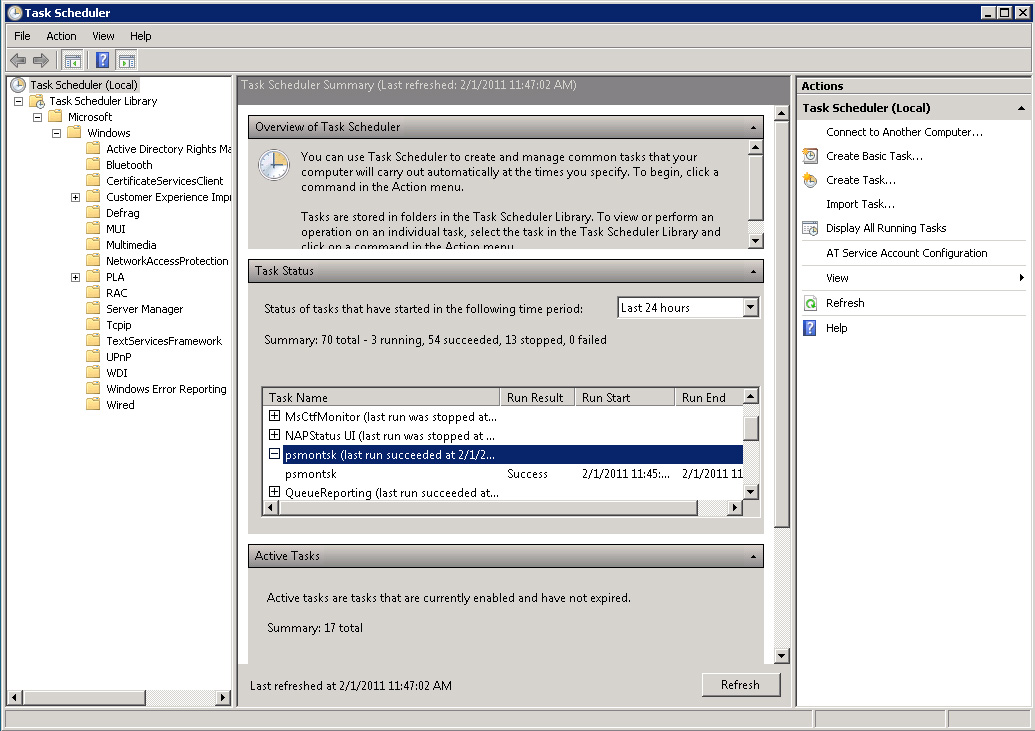 (Enlarge) |
|
|
|
||
<%
' SystemStatusTracker: Receives secure data from "flagname" machines.
' Author: Joe McCormack, 1/1/2011, www.virtualsecrets.com
Dim receiveAction : receiveAction = "" ' Request action; should always be "flagname"
Dim receiveDate : receiveDate = "" ' Date of request; example: 2/1/2011 9:15 AM
Dim receiveMachine : receiveMachine = "" ' Machine name making request; example: COMPUTERNAME
Dim receiveUser : receiveUser = "" ' "Username" making request; example: COMPUTERNAME$ or YOURLOGON
Dim receiveIP : receiveIP = "" ' IP Address of the computer
Dim respErrors : respErrors = 0 ' 0 - don't show detailed error messages, 1 - show detailed error messages
Dim allowProcessing : allowProcessing = 0
Dim tmpCount : tmpCount = -1
Dim rawReceive : rawReceive = ""
Dim userRawData : userRawData = ""
Dim compRawData : compRawData = ""
Dim tmpDomain : tmpDomain = ""
Dim tmpMachine : tmpMachine = ""
Dim tmpUser : tmpUser = ""
Dim collection : collection = ""
Dim msgNote : msgNote = "[0] Data Received"
' DEFINE ACTION/PATH LOOKUP MAPPINGS
Dim actionMap()
Redim Preserve actionMap(1) : actionMap(0) = "flagname,ComputerData" ' When receiveAction = "flagname" resolve that to the "ComputerData" folder
' DEFINE FIRST TWO ALLOWED OCTETS
Dim allowedOctets()
Redim Preserve allowedOctets(1) : allowedOctets(0) = "333.444" ' External facing IP range to allow for the computer network is on
' GET IP ADDRESS AND EVALUATE OCTETS
Dim sourceIPOctets : sourceIPOctets = ""
Dim sourceIP : sourceIP = Request.ServerVariables("REMOTE_ADDR")
if Len(sourceIP) = 0 Then : sourceIP = Request.ServerVariables("HTTP_X_FORWARDED_FOR") : End if
if Len(sourceIP) > 0 Then
sourceIPOctets = Split(sourceIP, ".")(0) & "." & Split(sourceIP, ".")(1)
allowProcessing = 0
For S = 0 TO UBound(allowedOctets) - 1
if allowedOctets(S) = sourceIPOctets Then : allowProcessing = 1 : End if
Next
Else
allowProcessing = 0
if respErrors = 0 Then
msgNote = "[1] Error"
Else
msgNote = "[1] Error. The IP address value of """ & sourceIP & """ was not found in allowedOctets()."
End if
End if
' FILTER
if allowProcessing = 1 Then
rawReceive = CStr(Request.QueryString("cd"))
Dim blockSequences()
Redim Preserve blockSequences(1) : blockSequences(0) = "<"
Redim Preserve blockSequences(2) : blockSequences(1) = ">"
Redim Preserve blockSequences(3) : blockSequences(2) = "#"
Redim Preserve blockSequences(4) : blockSequences(3) = """"
Redim Preserve blockSequences(5) : blockSequences(4) = "'"
Redim Preserve blockSequences(6) : blockSequences(5) = "="
Redim Preserve blockSequences(7) : blockSequences(6) = "./"
Redim Preserve blockSequences(8) : blockSequences(7) = "\"
Redim Preserve blockSequences(9) : blockSequences(8) = "&"
Redim Preserve blockSequences(10) : blockSequences(9) = "--"
Redim Preserve blockSequences(11) : blockSequences(10) = "("
Redim Preserve blockSequences(12) : blockSequences(11) = ")"
Redim Preserve blockSequences(13) : blockSequences(12) = "%"
Redim Preserve blockSequences(14) : blockSequences(13) = "+"
Redim Preserve blockSequences(15) : blockSequences(14) = ";"
For F = 0 TO UBound(blockSequences) - 1
if InStr(rawReceive, blockSequences(F)) Then
allowProcessing = 0
if respErrors = 0 Then
msgNote = "[2] Error"
Else
msgNote = "[2] Error. Possible malicious script detected."
End if
End if
Next
End if
' CHECK MINIMUM DATA SIZE
if allowProcessing = 1 Then
if InStr(rawReceive, "||") Then
Dim tmpRawReceive : tmpRawReceive = ""
tmpRawReceive = Split(rawReceive, "||")(0) & Split(rawReceive, "||")(1)
if InStr(tmpRawReceive, "|") Then
Dim pipeNumber : pipeNumber = UBound(Split(tmpRawReceive, "|"))
if pipeNumber < 3 Then : allowProcessing = 0 : End if
Else
allowProcessing = 0
End if
Else
allowProcessing = 0
End if
if allowProcessing = 0 Then
if respErrors = 0 Then
msgNote = "[3] Error"
Else
msgNote = "[3] Error. The data is not formatted correctly."
End if
End if
End if
' HANDLE REQUEST
if allowProcessing = 1 Then
userRawData = Split(rawReceive, "||")(0)
compRawData = Split(rawReceive, "||")(1)
receiveAction = Split(userRawData, "|")(0) ' Request action
receiveDate = Split(userRawData, "|")(1) ' Date of request
receiveMachine = Split(userRawData, "|")(2) ' Machine name making request
receiveUser = Split(userRawData, "|")(3) ' "Username" making request
receiveIP = Split(userRawData, "|")(4) ' IP Address of the computer
' DETERMINE SAVE LOCATION
Dim strPath : strPath = ""
Dim pathCustom: pathCustom = ""
strPath = Server.MapPath(".")
For P = 0 TO UBound(actionMap) - 1
Dim receiveActionValue : receiveActionValue = Split(actionMap(P), ",")(0)
Dim folderUse : folderUse = Split(actionMap(P), ",")(1)
if LCase(receiveAction) = LCase(receiveActionValue) Then
pathCustom = folderUse
End if
Next
if Len(pathCustom) = 0 Then
|
